TLDR: Open Homes’ Virtual Twilight photography has undergone a complete overhaul. New editing process, retrained editors, and results that look shockingly like the real thing. If you wrote off Virtual Twilights in the past — from us or anyone else — you might want to take a second look.
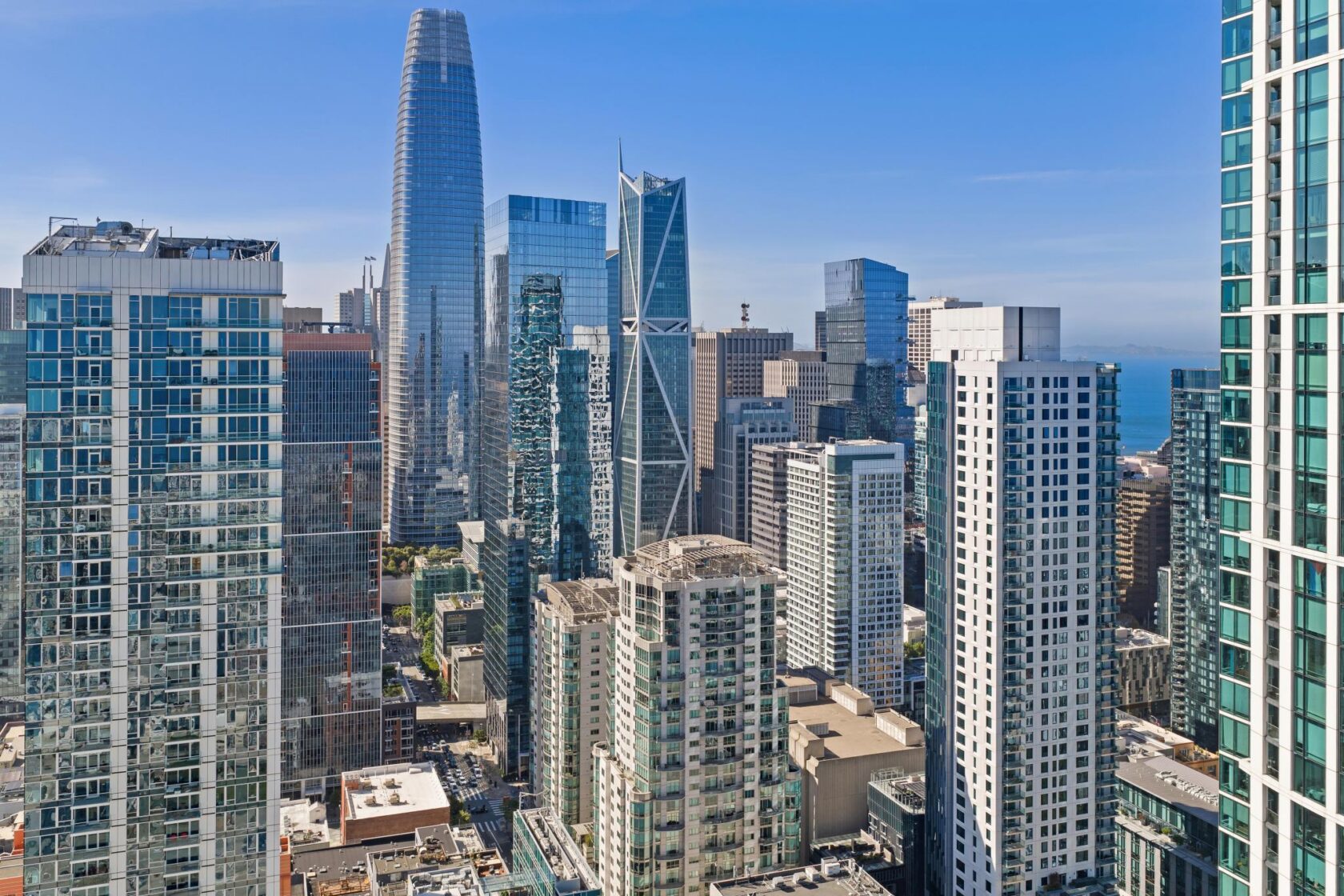
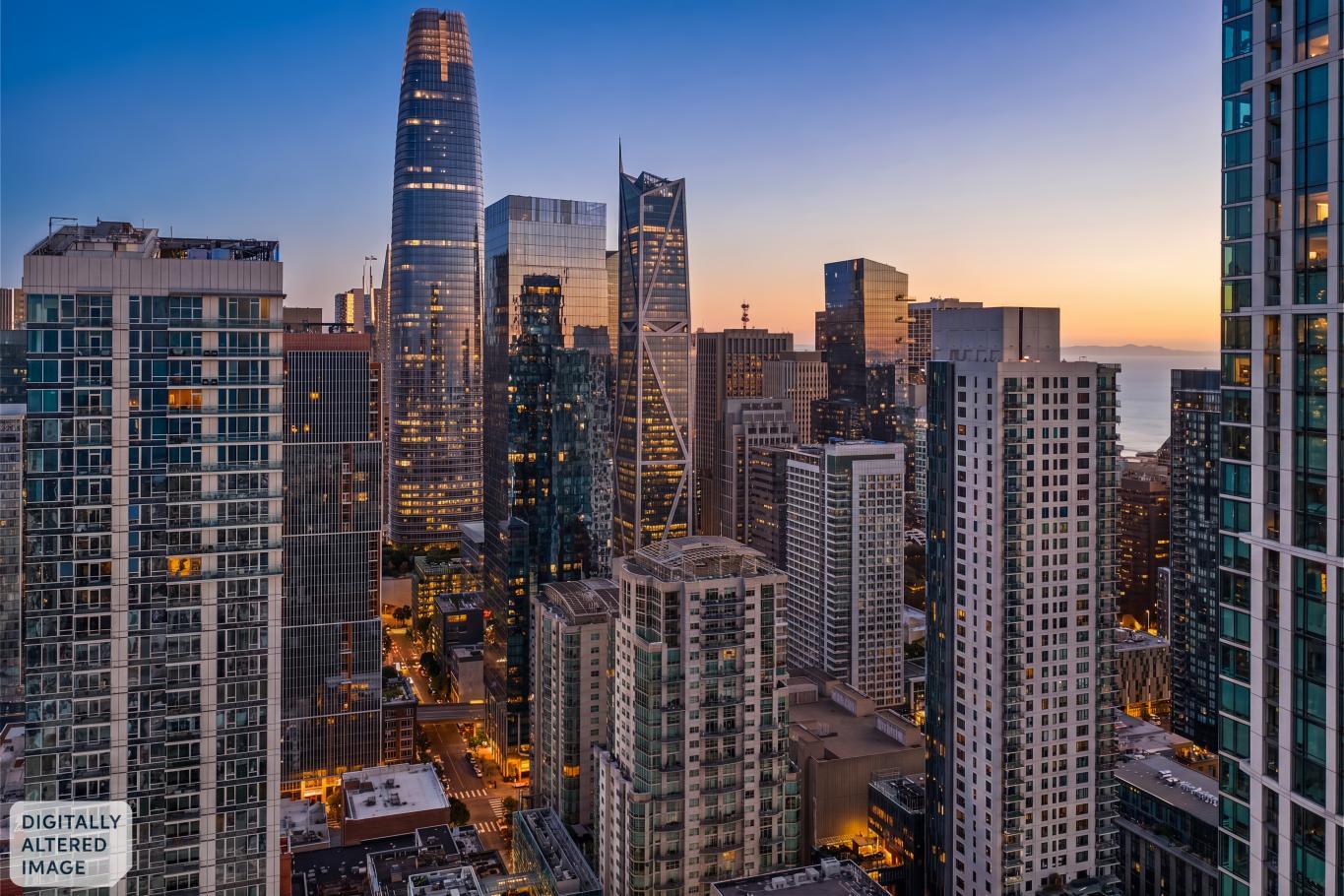
When we first introduced Virtual Twilight photography back in 2018, the concept was simple: deliver a twilight-style photo without a separate appointment or a second photographer. The execution, though — industry-wide, including ours — didn’t always hold up under scrutiny.
The core problem? The old process treated sky replacement as the primary edit, leaving many other important elements — walls, windows, landscaping— lit, in some places, like it was still the middle of the day. The result looked like two different photos placed next to each other, because that’s essentially what it was.
This year, we rebuilt the process from the ground up to fix that.
How Open Homes rebuilt the Virtual Twilight photography process
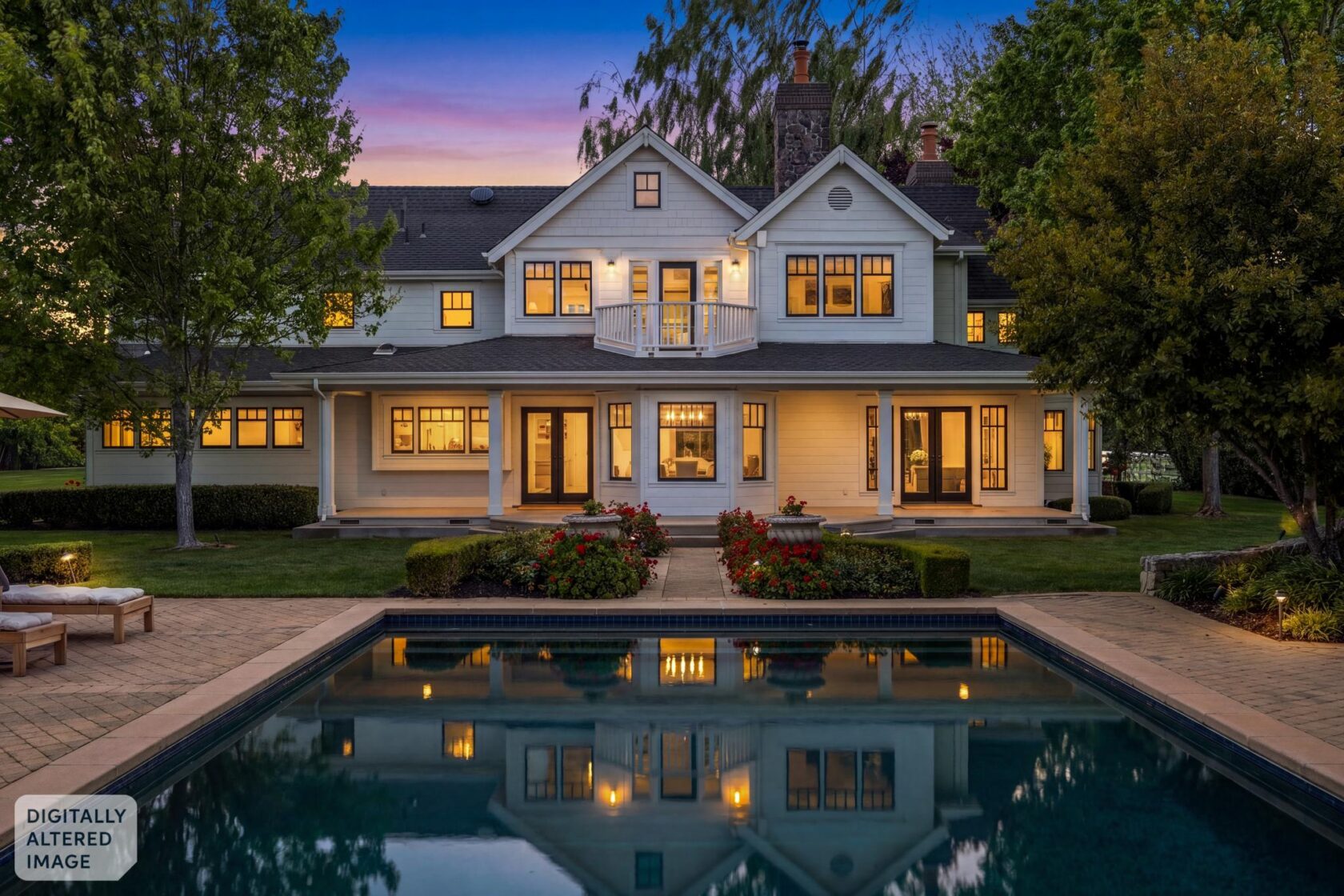
The new process starts from a different premise entirely: rather than replacing the sky and adjusting minimally around it, our editors now recalculate how light falls across the entire scene at a different time of day. Every element in the frame — facade, windows, landscaping, exterior fixtures — responds to the new light conditions. AI-assisted tools make this possible in a way that simply wasn’t available a few years ago, and every editor on our team has been retrained on the new methodology.
Here’s what that looks like in practice:
- The whole image shifts, not just the sky. Warm amber light touches the facade, the driveway, and the landscaping in a way that’s consistent with where the sun would actually be at that hour — not carried over from a midday shoot.
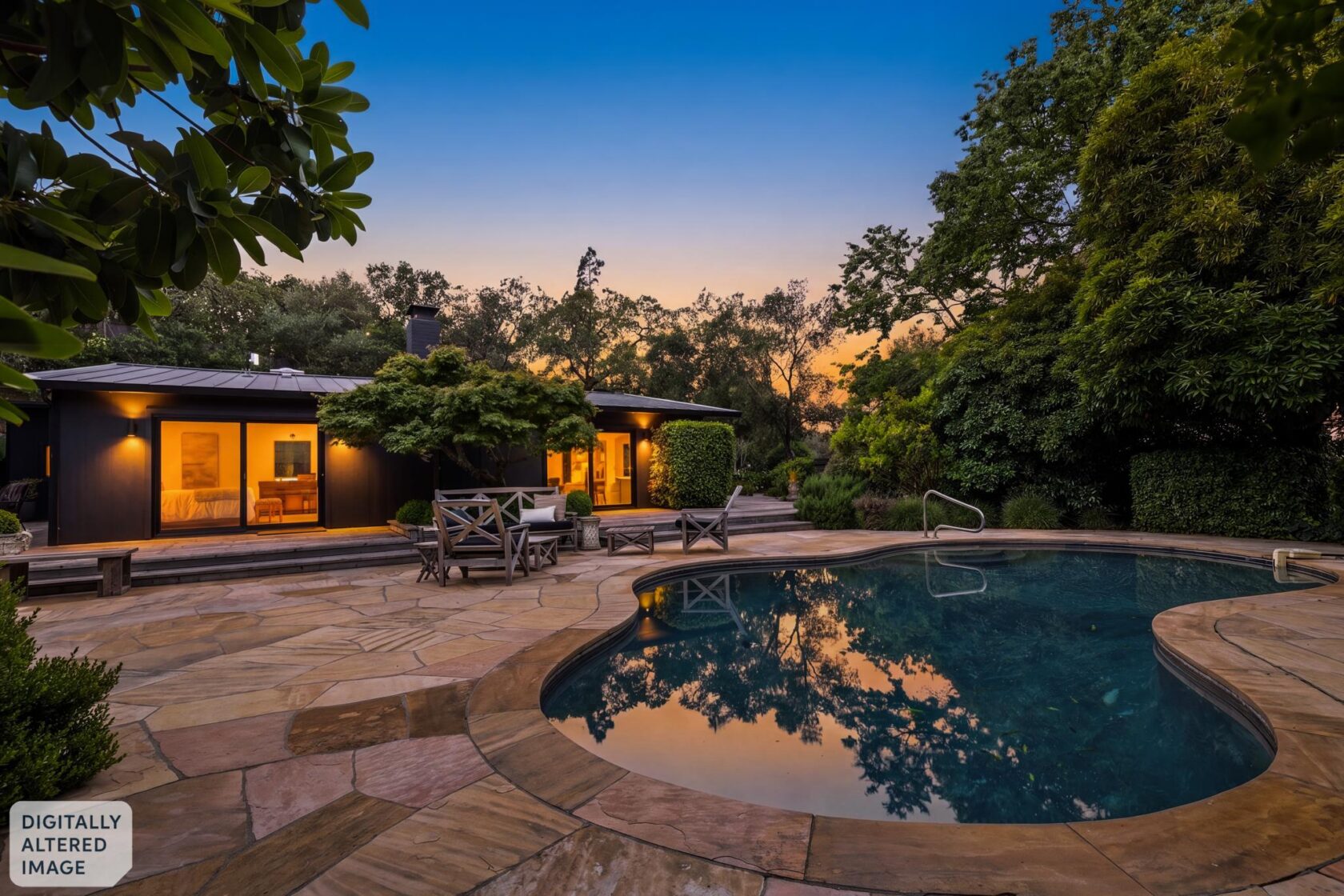
- Window glow is warm, graduated, and realistic. Interior light sources now behave like interior light sources — casting light outward and contributing to the overall mood of the image rather than just brightening the glass.
- Exterior fixtures cast light that actually lands somewhere. Wall sconces and entry lights glow the way they would at dusk, and the surfaces around them pick up that glow convincingly.
- The interior and exterior feel like one moment in time. This is the hardest thing to get right — and the most obvious tell when it fails. The new process ensures that what’s happening outside the windows and inside the room are visually consistent.
- Skies look like dusk, not a digital preset. Real gradation, real color shift, no floating moons. The sky does its job without drawing attention to itself.
The result is a Virtual Twilight that can genuinely pass for the real thing — not one that looks passable.
Why it matters for your listing
Virtual Twilight Photography converts buyers
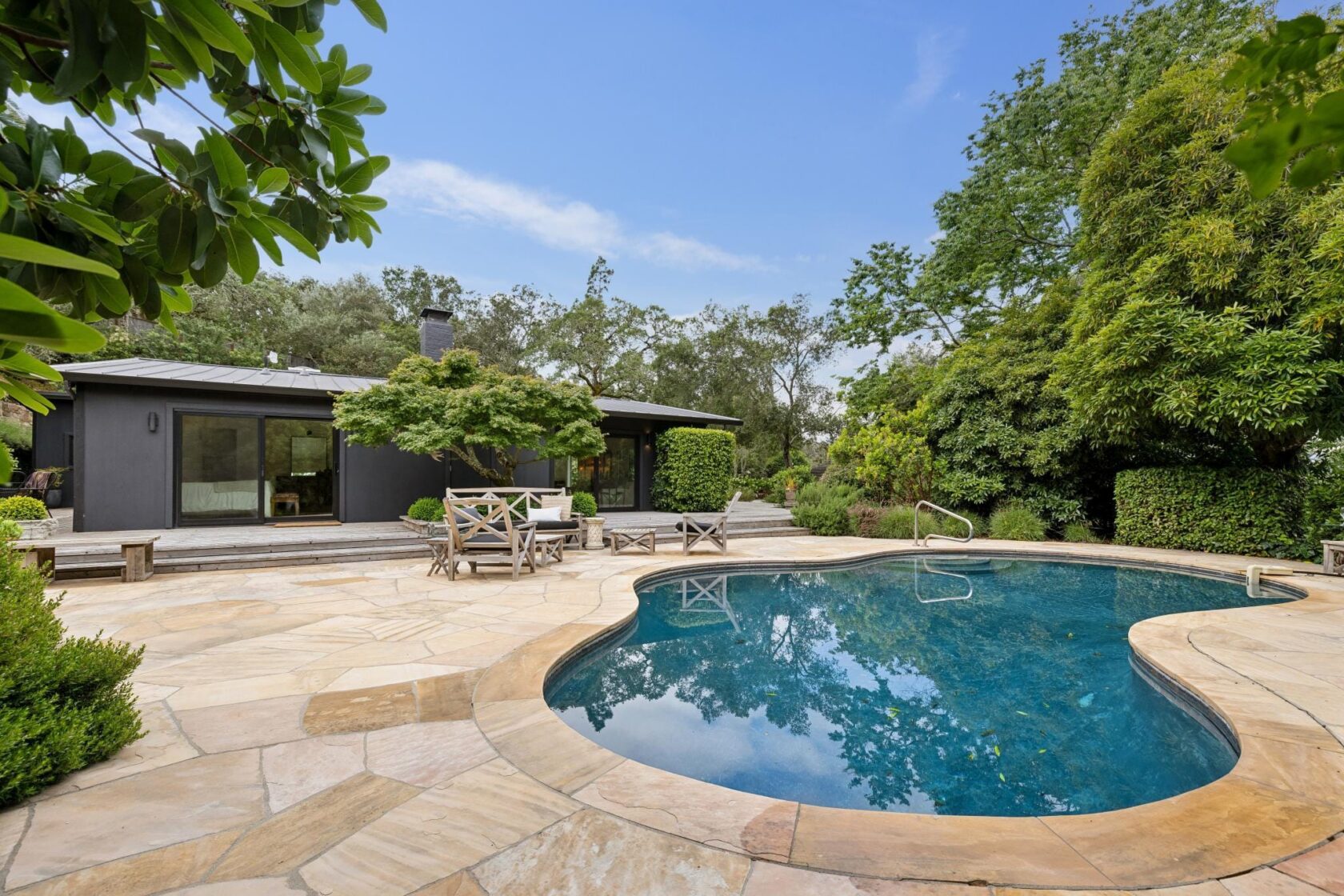
A buyer scrolling through listings isn’t thinking about editing methodology. They’re responding to how a home feels. A well-executed Virtual Twilight creates the same emotional response as a real twilight photo — warmth, intimacy, the sense of a home that’s lived in and lit up at the end of the day. That’s what stops the scroll.
And unlike a real twilight shoot, a Virtual Twilight is captured during your regular daytime appointment. No second visit. No separate photographer. No coordinating around the very narrow 20-minute golden hour window.
If you’ve ordered Virtual Twilights before and weren’t thrilled with the results — from us or from another company — we’d love the chance to show you what they look like now.
See our Virtual Twilight Photography 2.0 examples

Frequently asked questions
Virtual Twilight vs. a real twilight shoot: Which is better for listings?
It depends on what you need. A full twilight shoot — one where a photographer is on-site at dusk capturing both interiors and exteriors — is still the best option for most listings. You get multiple images, real light, and coverage of the living spaces of the home at golden hour. You can see examples of those genuine Twilight shots here.
That said, if you only need one or two strong images at dusk, a Virtual Twilight can absolutely hold its own — and in some cases, the results are genuinely difficult to distinguish from the real thing. For listings where a full twilight shoot isn’t practical, or where the budget doesn’t support a full, on-site twilight shoot, a Virtual Twilight is a smart, cost-effective alternative.
When should an agent order a Virtual Twilight?
Virtual Twilights work especially well for listings where the exterior is a strong selling point but a separate twilight appointment isn’t feasible — tight timelines, occupied homes, or listings where the budget doesn’t support a full, on-site Twilight Shoot. They’re also a smart complement to an existing full marketing package when you want a twilight hero image without an additional appointment.
How does Virtual Twilight photography work?
Your photographer captures the exterior during your regular daytime shoot. Our editors then apply the twilight effect in post-production using our updated AI-assisted process to ensure the lighting, sky, and window glow are as realistic as possible.
What is AI-assisted Virtual Twilight editing?
Our new process uses AI-assisted tools to recalculate light across the entire scene, so the facade, landscaping, windows, and exterior fixtures all respond to the new light conditions rather than sitting mostly unchanged beneath a new sky. Every editor on our team has been retrained on the new methodology. The difference in results is significant.
Are digitally altered real estate photos required to be disclosed in California?
Yes — and we make that easy. Every Virtual Twilight delivered by Open Homes includes a “Digitally Altered Image” watermark, keeping you compliant with MLS disclosure requirements without any extra steps on your end. California’s AB 723 requires disclosure of digitally altered listing photos — if you’re not familiar with the law, our blog post, “What You Need to Know About AB 723 Digitally Altered Photo Disclosure,” is worth a read.
If you’ve dismissed Virtual Twilights before, our new process may change your mind — see our Virtual Twilight 2.0 examples here.